Download any Object
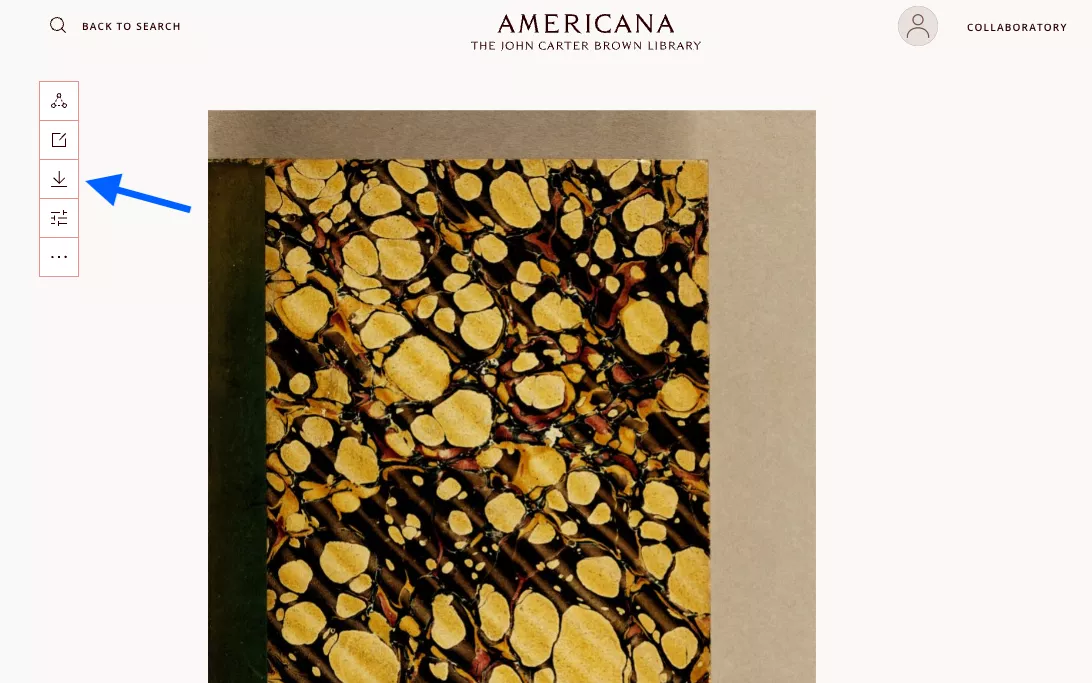
To download any digital object in Americana, open the item and click the download button, an arrow pointed down at a line, located in the options panel to the left of the image. The item will automatically be downloaded as a PDF file.
Warning! If you are downloading a large book, this will download the whole book. Be prepared for a large file.