Creating your Americana Account
Create a New Account
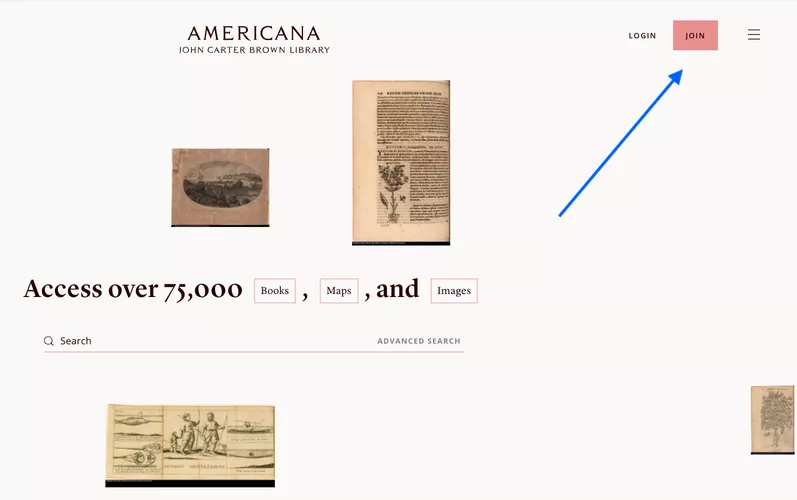
You don't need to create an account to read, explore, or download items from Americana. But, with an account, you can save items to your own collections, known as "projects," and more easily collaborate with others.
< 1 of 10 >
Fill the Form
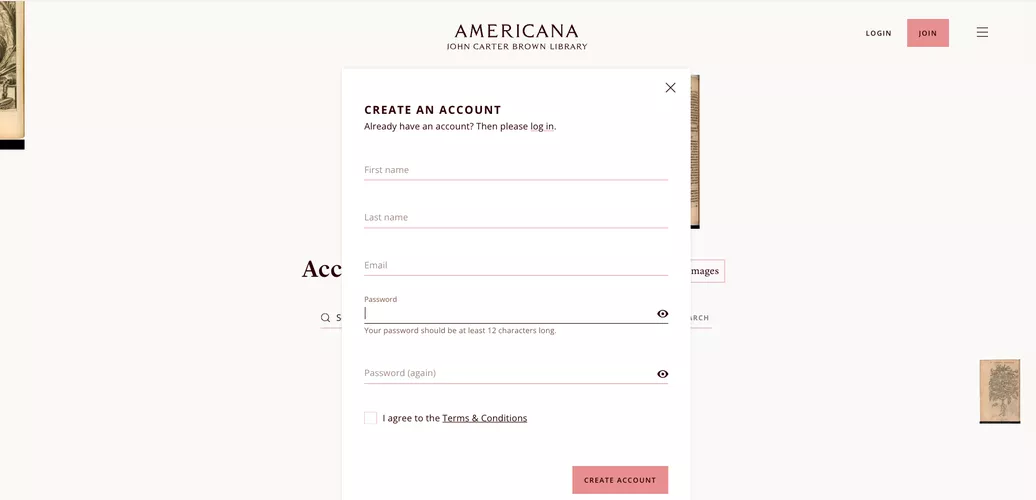
To join, fill out this simple form. Keep in mind that while you can use any name you want, the first and last name you enter will be displayed on all your projects. You can change your name later if you need to.
< 2 of 10 >
User Menu
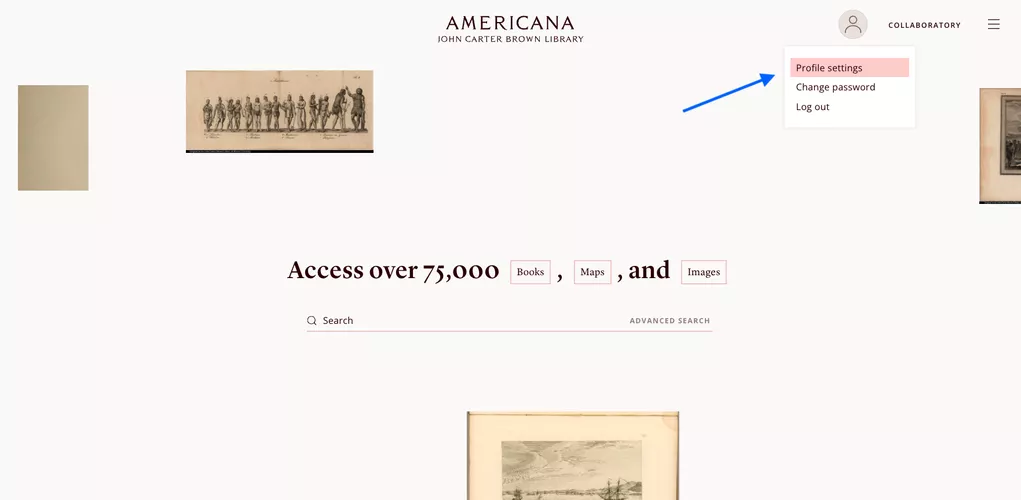
Now that you have your Americana account, look at the upper right side of the screen: you will be able to see a small circle with a user icon, and a link to your Workspace.
Clicking on the user icon will open a small menu with three options: Profile Settings, Change Password, and Log Out.
< 3 of 10 >
Profile Settings
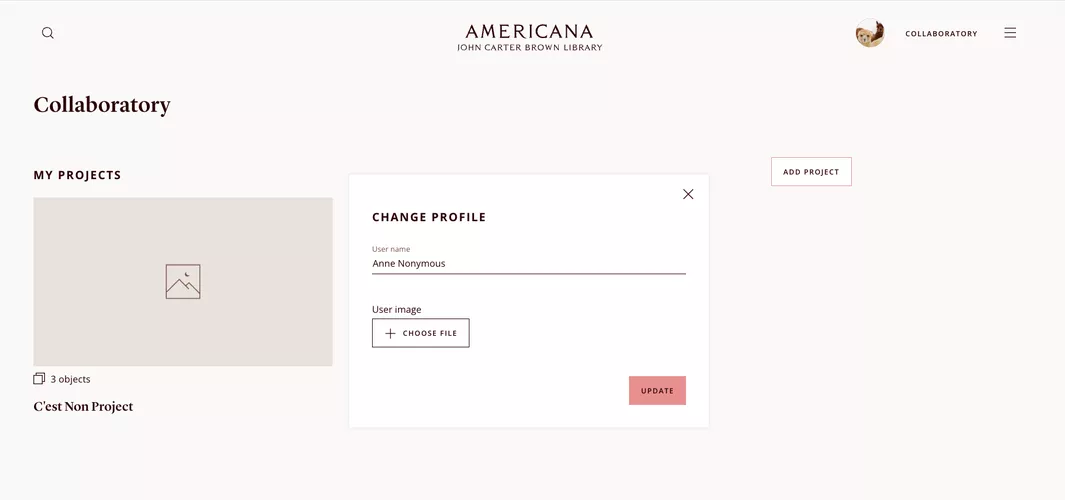
In the Profile Settings, you can change your User Name and add an image to your profile (which must be a .jpg file).
< 4 of 10 >
Change your password
The next option in the account menu is "Change your password."
<5 of 10>
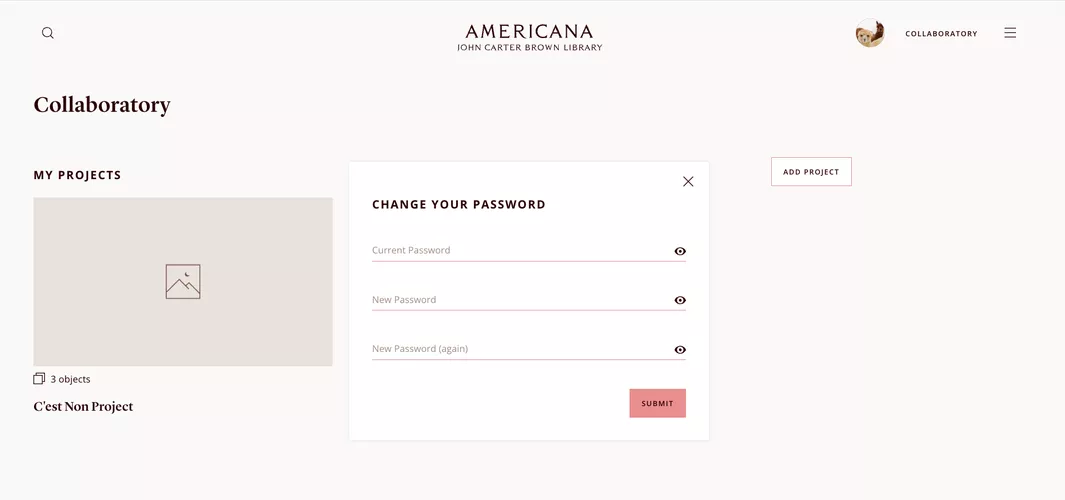
Change Password [2/2]
To change your password, enter your current password and then enter your new password twice for confirmation.
< 6 of 10 >
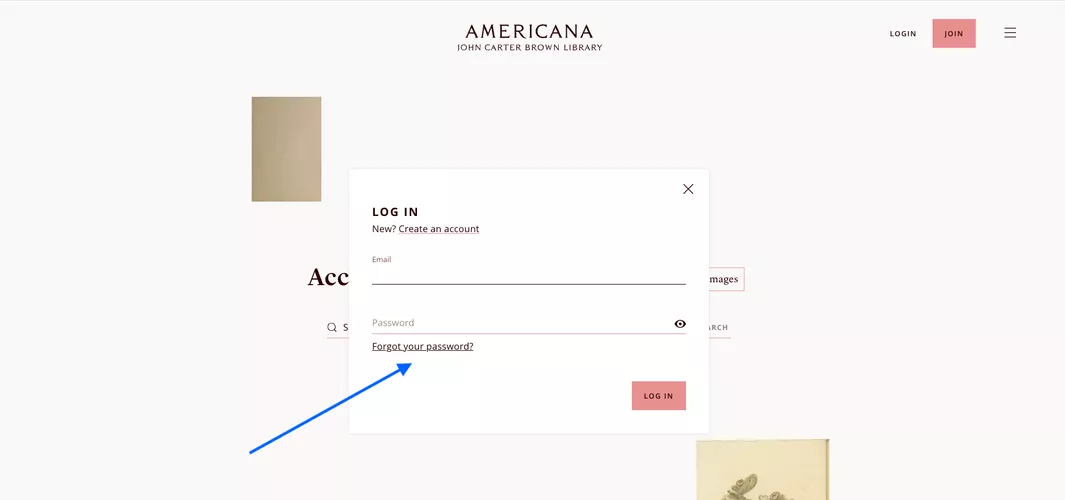
Forgot your Password?
If you forget your password, don't worry! First, click on the login button located at the top right of the screen. Then click on the “forgot your password?” link, enter the email address associated with your account, and click on the reset my password button. Follow the instructions in the email you receive to create a new password.
< 7 of 10 >
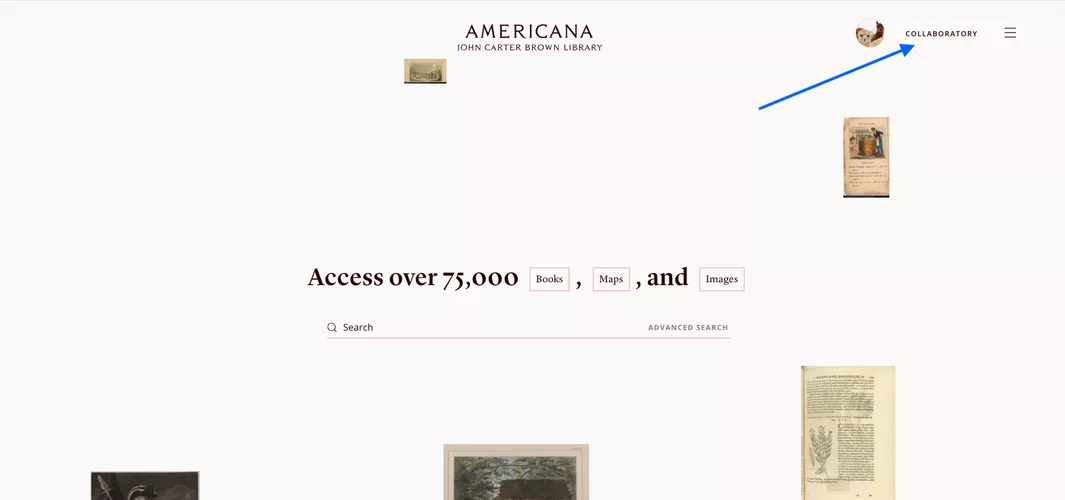
Collaboratory
At the top right of the screen, you will find a link to your collaboratory.
< 8 of 10 >
Your Projects
In your collaboratory, you will see all the projects that you own or that you have been invited to collaborate on. There you can delete the projects that you created, or delete the link to projects that you were collaborating with. You cannot delete projects that you don't own.
< 9 of 10 >
Terms and Conditions and Privacy Policy
Americana is free of charge and we take your data very seriously. You can read more about our Terms and Conditions and Privacy Policy.
< 10 of 10 >